Last updated on:
Reading time:
8 min read
The Complete Framer SEO Guide for Startups (2026 Edition)

Zakir Ullah
Official Framer Expert

TRUSTED BY 50+ FOUNDERS
Your design + build partner
Design, Framer development, migration and SEO — founder-led, for US and EU teams.
TABLE OF CONTENTS
SUMMARIZE THIS
ARTICLE WITH AI
Framer can rank. The question that actually matters is whether your Framer site is built to rank, and that comes down to about eight decisions — most of which are made in the first hour of a project and are expensive to reverse afterwards.
TL;DR
Framer's technical foundation is solid: server-rendered HTML, fast defaults, full control over metadata, sitemaps, and redirects.
The most common failure is one meta description shared across an entire CMS collection. Bind it to a field.
Heading tags come from text style presets, not font size. Sites look fine and have five H1s.
Slugs are generated from the first string field at creation time. Fix field order before item one.
Redirects and per-page canonicals are on paid plans. Budget for it if you are migrating.
What Framer gives you for free
The foundation is genuinely good, and it is worth knowing what you do not have to fight. Pages are server-rendered, so crawlers get real HTML rather than an empty shell. Images are served in modern formats at responsive sizes. The CSS and JS payloads are reasonable by default. Sitemaps generate automatically. You get per-page title and description control, custom code slots in head, and — on paid plans — redirects and canonical control.
In practice this means a competently built Framer site starts with better Core Web Vitals than a typical WordPress site with four performance plugins fighting each other.
Decision 1: CMS field order, before you create item one
Framer generates an item's slug from the first string field in the collection, at the moment the item is created. Not from a field called Slug. If your first string field is "Author" you will get slugs like /blog/zakir-ullah and /blog/zakir-ullah-2. Renaming or reordering fields later does not retroactively fix existing slugs. Sort this out before you enter content.
Decision 2: bind metadata to fields, never type it into the template
This is the single most common Framer SEO mistake, and it is invisible until you crawl the site. If you type a meta description into the CMS page's SEO settings instead of binding it to a field, every item in that collection ships with the same description. On a forty-post blog that is thirty-nine duplicate descriptions.
The fix is to bind title to your Title field and description to an Excerpt field, then make the Excerpt field required so nobody publishes without one. If the excerpt is empty, the page silently falls back to your site-wide default — which is the same failure wearing a different hat.
Decision 3: heading tags come from presets
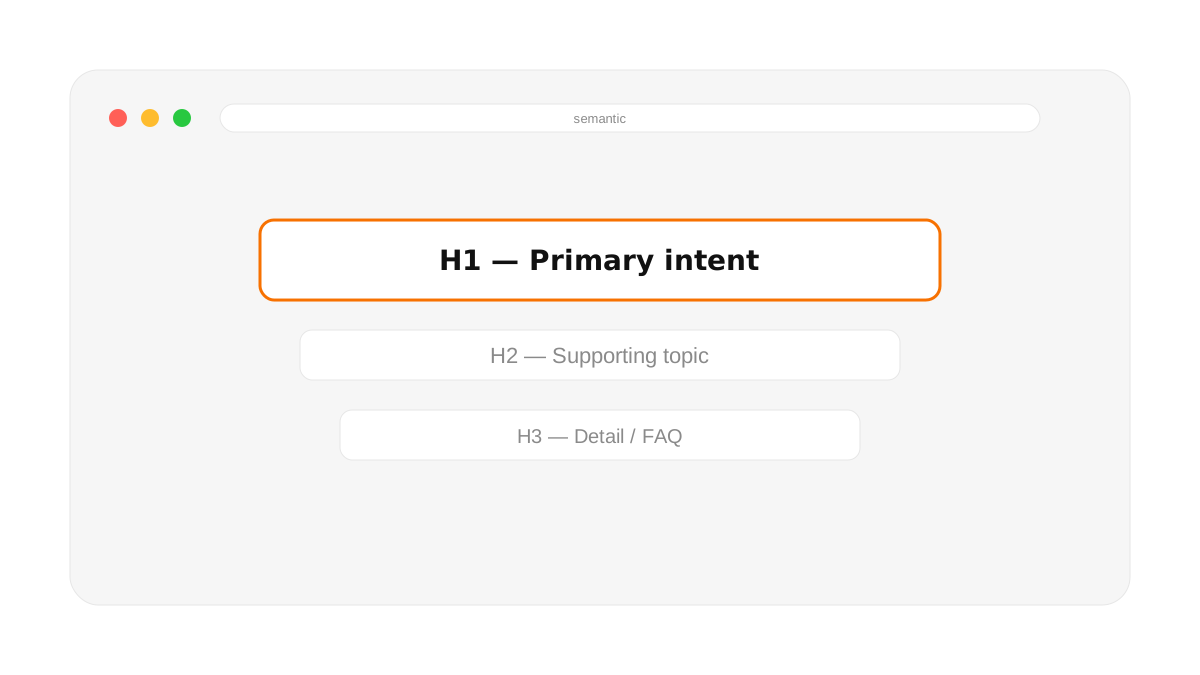
Framer assigns heading levels from the text style preset applied to a block, not from how large the text looks. The practical consequence is that a section heading styled with a large preset becomes an H1, and pages end up with three or four of them. Meanwhile a genuine sub-heading styled small becomes a paragraph, and your document outline has holes in it.
Audit this by viewing the rendered HTML rather than trusting the canvas. One H1 per page, no skipped levels, and rich text bodies starting at H2 because the template already owns the H1.
Decision 4: internal linking that is not just navigation
Navigation links appear on every page and therefore distinguish nothing. What moves rankings is contextual links inside body copy, pointing from posts to the service pages they relate to and between posts in the same cluster. On CMS templates, drive "related posts" from a category field rather than a hand-picked reference list — hand-picked lists starve every new item you publish, because nobody goes back to add them.
One Framer-specific trap: internal links typed into rich text sometimes get rewritten to template routes like /blogs/:slug. Use absolute URLs in CMS body copy and verify them on the published site.
Decision 5: redirects, and the plan they live on
Redirects are a paid-plan feature in Framer. If you are migrating an existing site this is not optional, and it should be in the budget from the start. Write them from a pre-launch crawl of the old site, test them before DNS moves, and flatten any chains — an old redirect pointing at another redirect leaks authority and slows crawling.
Decision 5.5: the noindex trap on launch day
Framer pages default to noindex while a project is unpublished. That is correct behavior during a build — it stops search engines from indexing your staging URL — but it means the toggle has to be flipped deliberately at launch, and it is easy to miss on pages built after the initial handoff. The control lives in Page Settings (the gear icon in the top toolbar) under "Search engines." It sets a meta tag, not a robots.txt rule, so the page stays reachable by URL even while excluded from results.
There is a second, easier-to-miss version of this: a site-level "Indexable" setting in Site Settings. If that is off, it overrides every individual page setting silently — you can spend an afternoon debugging per-page noindex tags on a site where the real problem is one toggle three menus up. Check both after every launch, not just the pages you touched.
Decision 6: structured data
Framer has no built-in schema editor, so JSON-LD goes into the custom code slots. Put it in head rather than injecting it with a script at the end of the body — code in the head is server-rendered and reliably seen, while script-injected JSON-LD is client-side and less dependable. Organization, Person, and per-page Article or Service markup covers most marketing sites.
Decision 7: performance discipline after launch
Framer's defaults are fast; sites get slow through accumulation. The usual culprits are hero images uploaded at original size, a video background nobody measured, and third-party scripts added one at a time by people who each assumed theirs was the only one. Set a page weight budget and check it quarterly.
Decision 8: measure the right thing
Rankings are a lagging indicator and traffic is noisy. The things worth watching monthly are Search Console coverage (are new pages actually getting indexed?), the number of pages with duplicate or missing descriptions, and Core Web Vitals field data rather than lab scores.
What to do next
If your site already exists, crawl it and check three things: duplicate meta descriptions, H1 count per page, and whether every CMS item has an excerpt. Those three account for most of the SEO problems I find on otherwise well-built Framer sites. If you want it done properly, the SEO service page covers how I run it.
WORKING ON THIS RIGHT NOW?
I run this exact process for US and EU teams — design, build, migration and the SEO work afterwards. Fixed quote in writing within three days.
NEED MORE INFO?
Frequently asked questions
Can a Framer site rank on Google?
Yes. Pages are server-rendered, so crawlers get real HTML, and you have full control over titles, descriptions, canonicals, sitemaps and redirects. Ranking comes down to how the site is built and what it says, not the platform.
What is the most common Framer SEO mistake?
Typing a meta description into a CMS template instead of binding it to a field. Every item in that collection then ships with the same description. It is invisible until you crawl the site, and I find it on most Framer sites I audit.
Do I need a paid Framer plan for SEO?
For a new site, no. For a migration, yes — redirects are a paid-plan feature and you cannot preserve rankings from an existing site without them. Budget for it from the start.




Founder-led Framer studio by Zakir Ullah — Official Framer Expert & Creator. Design, build, migrate, maintain and grow — led by Zakir from strategy through delivery.
Other
Powered by @Framer
Get 3 Months Framer Free
Let's Connect on Contra
Hire Me on Contra
Ask AI about Framerfry