Last updated on:
Reading time:
8 min read
Framer SEO Checklist (2026 Edition)

Zakir Ullah
Official Framer Expert

TRUSTED BY 50+ FOUNDERS
Your design + build partner
Design, Framer development, migration and SEO — founder-led, for US and EU teams.
TABLE OF CONTENTS
SUMMARIZE THIS
ARTICLE WITH AI
The Framer SEO Checklist to Run Before Publishing Any Page
Framer makes publishing fast, but a fast workflow still needs quality control. This Framer SEO checklist catches the issues that quietly cost rankings — missing metadata, weak headings, oversized images, broken links, and mobile problems — before they go live. Run through it every time you publish a new page, landing page, or blog post, and SEO becomes a repeatable habit instead of an afterthought.
1. Page Title
Write a unique title that names the topic and the brand. “Framer SEO Checklist for Startups — FramerFry” is far stronger than “SEO Checklist” because it gives context and helps your result stand out in search. Keep it under about 60 characters and lead with the most important phrase.
2. Meta Description
Write a clear, click-worthy description for each page. For example: “Use this Framer SEO checklist to review metadata, headings, images, links, mobile layouts, and speed before publishing.” One unique description per page — never blank, never duplicated across posts.
3. Heading Structure
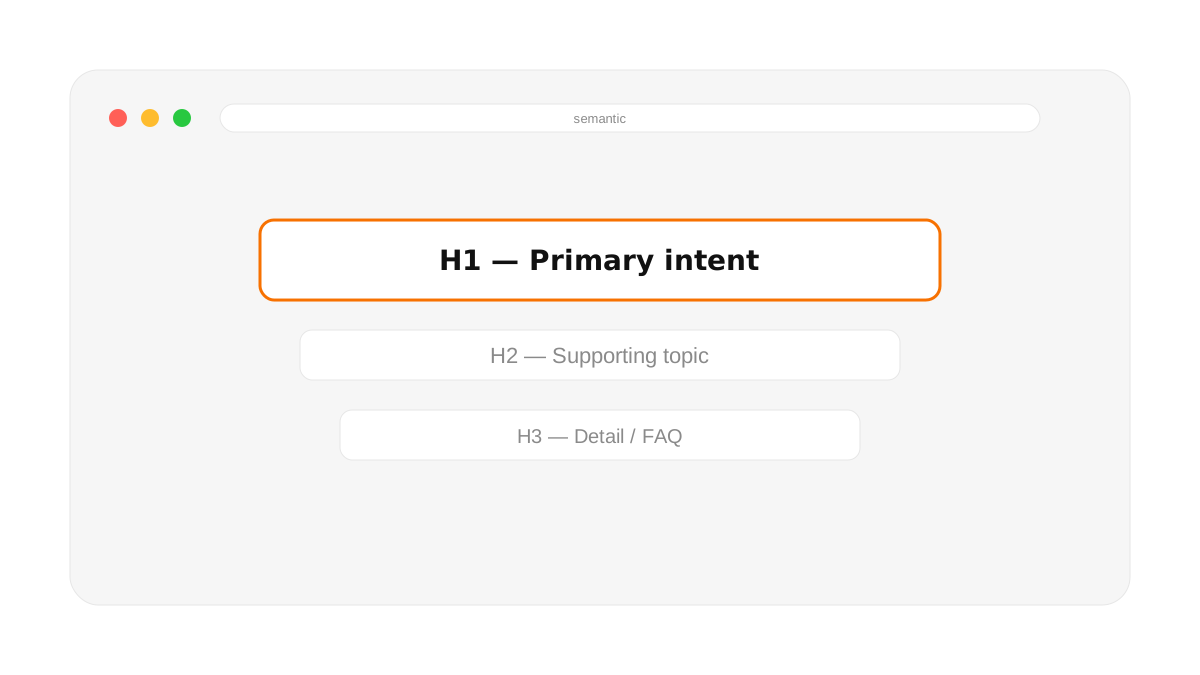
Use exactly one H1 per page, then organize the content with H2 and H3 headings. If the page is about Framer SEO, the headings should describe real subtopics — metadata, images, CMS posts, internal links, performance — so both readers and search engines can follow the structure at a glance.
4. Image Alt Text
Add descriptive alt text to meaningful visuals. A product screenshot might use “Framer CMS blog post settings with SEO fields.” Purely decorative gradients, abstract shapes, and background patterns don’t need keyword-heavy alt text — describe what’s useful, and skip what isn’t.
Two details most checklists skip. End every alt string with a period — screen readers pause between elements based on punctuation, and an alt tag with no terminator gets read straight into whatever follows it, which is a worse experience than the missing alt text it's supposed to fix. And if a section of the page is likely to get lifted wholesale into a featured snippet in a way you don't want — pricing tables you update often, or a disclaimer that needs its own context — Framer lets you set a no-snippet flag per layer in the accessibility settings. It stops Google quoting that block directly while leaving the rest of the page eligible for rich results.
5. Internal Links
Link related pages together. A migration post should link to your SEO checklist; a landing-page guide should link to your SaaS website tips. Internal links help visitors discover related content and help search engines understand how your site fits together — which strengthens the whole content cluster, not just one page.
6. Indexing Status
Before you publish, open Page Settings (the gear icon) and confirm "Search engines" is turned on — Framer pages default to noindex while a project is unpublished, and that setting does not flip itself when you go live. Check Site Settings too: a site-level "Indexable" toggle can override every page at once, and it is a five-second check that saves a week of wondering why Google Search Console shows zero impressions on a page that looks fine.
7. Performance and Core Web Vitals
Compress large images, avoid unnecessary videos above the fold, reduce loop animations, and test the page on mobile. A page that looks great but loads slowly will lose both visitors and search momentum. Run the live URL through PageSpeed Insights and confirm your Core Web Vitals are in the green.
Example Publishing Workflow
Before publishing a new Framer blog post: write the title, add the social share image, check the article headings, add alt text to the thumbnail, preview the detail page on mobile, and click the post from the blog list to confirm it routes correctly. The whole pass takes a few minutes and prevents the most common mistakes. SEO is not a one-time setup — it’s a publishing routine you repeat every time.
Frequently Asked Questions
What should I check before publishing a Framer page?
Confirm the page title, meta description, single H1 with logical H2s, image alt text, internal links, and mobile performance. These six checks catch the majority of on-page SEO issues.
How many H1 tags should a Framer page have?
Exactly one. The H1 is your main page heading; everything else should use H2 and H3 to create a clear hierarchy.
Does image alt text help SEO in Framer?
Yes. Descriptive alt text improves accessibility, helps images appear in search, and reinforces the page’s topical relevance — just keep it natural and avoid stuffing keywords.
For the strategy behind the checklist, read the complete Framer SEO guide for startups, and see whether Framer is good for SEO in 2025.
WORKING ON THIS RIGHT NOW?
I run this exact process for US and EU teams — design, build, migration and the SEO work afterwards. Fixed quote in writing within three days.
NEED MORE INFO?
Frequently asked questions
When should I run this checklist?
Before every publish, and as a full pass before launch. Framer makes publishing fast, and a fast workflow needs a quality gate — most SEO faults I find were introduced by a routine edit, not by the original build.
What gets missed most often?
Meta descriptions on CMS items, heading order, and internal links pointing at old paths after a URL change. All three are invisible in the editor and obvious in a crawl.
Do I need a crawler tool?
For more than about twenty pages, yes. Screaming Frog's free tier covers 500 URLs and will find duplicate descriptions, broken links and heading problems in minutes.




Founder-led Framer studio by Zakir Ullah — Official Framer Expert & Creator. Design, build, migrate, maintain and grow — led by Zakir from strategy through delivery.
Other
Powered by @Framer
Get 3 Months Framer Free
Let's Connect on Contra
Hire Me on Contra
Ask AI about Framerfry